How long is it since you cleaned and disinfected your laptop, screen, keyboard and mouse, at home and in the office? Coronavirus is thought to be spread, in part, by the respiratory droplets in people’s sneezes and coughs, which land on surfaces, surviving for several days [BBC World News]. These surfaces are touched by other people who go on to touch their mouth, nose and eyes, as well as other surfaces, and so transmission occurs. Thorough hand-washing is key, with NHS advice published on how to do this properly. But what about guidelines for cleaning your personal workstation during this coronavirus outbreak?
It makes sense for the surfaces we come into frequent, close personal contact with, such as our everyday work items, to have a deep-clean too, and eradicate any risk of transference of the COVID-19 virus. Here is our guidance on keeping your workstation items, such as laptop, keyboard, screen and mouse, germ-free.
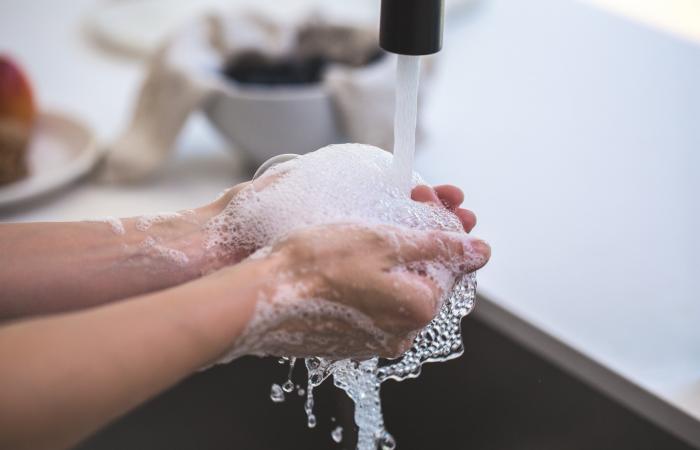
Starting with you - hand-washing
Before cleaning your laptop, keyboard, screen or mouse, you need to make sure your hands are clean, as per the NHS guidelines:
- wash your hands with soap and water often – do this for at least 20 seconds
- always wash your hands when you get home or into work
- use hand sanitiser gel if soap and water are not available
Always washing your hands “when you get home or into work” is an acknowledgment of just how many surfaces we come into personal contact with, and how washing your hands every time you enter these environment helps to eradicate germs. Now, onto the equipment.
Cleaning your laptop, mouse and keyboard
No harsh alcohol or cleaning agents should be used, and should not be sprayed directly onto any tech equipment. All equipment should be powered down and unplugged beforehand.
A good start is to shake everything out of your keyboard and mouse, to dislodge crumbs and bits. Use compressed air too to get in the hard-to-reach areas. When it comes to cleaning with a liquid solution, your keyboard and mouse can take a little bit of moisture – more than your phone, but not much more - so go easy with a disinfectant wipe over the top of the mouse and the keys on the keyboard, ensuring no droplets leak into any buttons. Everywhere else, just use a microfibre cloth, only slightly dampened with a soap and water solution, to wipe everywhere else, with light pressure, ensuring no moisture gets in any openings or ports.
Cleaning your screen
Turn off and unplug your screen before cleaning. You’ll need a microfibre cloth and either a bought screen-cleaning solution, or your own, made from equal parts of distilled, or de-ionised, water, and white vinegar.
Use very limited pressure when it comes to wiping your screen. Do not spray directly onto the screen. Spray onto your cloth and wipe only in one direction, never around and around in circles.
Cleaning your desk
Once you have moved all your papers, tech and any other objects from the surface of your desk, you can go to town on cleaning your desk. Use all the disinfectant wipes and alcohol-based cleaners you like, and put them to good use.
If you are worried about coronavirus and would like further information on what you can do to stay safe, please refer to official published announcements, such as BBC health news and NHS 111 contact page.
And don’t forget about your phone, which needs to be paid special attention to, to keep it germ-free and safe.


< Read more articles on our IT Academy
Business services like IT support, when they work properly, are a true partner to business. Here’s what it’s like when your IT support is a true partner.
If it can happen to McAfee, UNICEF and eBay…
It’s a wake-up call for brands – the SubdoMailing attack sees 8000 household names’ domains hijacked and exploited. Here’s why and how to protect your brand.